Product design case study · iOS app
Crossrope
Workout flows for the Crossrope jump rope app, for people who train with weighted ropes at home. I designed how you pick a jumping mode, set a goal, look back at past sessions and follow a live jump count, as clickable Adobe XD prototypes. The flows shipped in the Crossrope app.
- iPhone app
- Shipped in the app
- 5 flows
- 3 jumping modes
- 4 rope weights
- 6 recordings
- Five flowsFrom choosing a mode to the live jump count
- Reviewed again in 2026Five apps, ten heuristics and an accessibility check
Overview
Project overview
Crossrope makes weighted jump ropes and an app with workouts to follow along. I designed the part of the app for jumping without a class: freely, for a set time or to a number of jumps.
Tools
- Adobe XD
- 5flowsTop menu, set goals, filter, jumping modes, jumping screen
- 3jumping modesFree Jumps, Against Time and Jump Target
- 4rope weights1/4, 1/2, 1 and 2 LB, chosen before each session
- 6recordingsFive prototype flows and the brand film
- 5apps reviewedFrom their US App Store pages, 28 Nov 2026
- 10heuristics checked9 findings, each tied to a screen
Phase 1 of 7
Empathize
The brand, the app around my flows, and what other apps already do.
The product
The Crossrope app
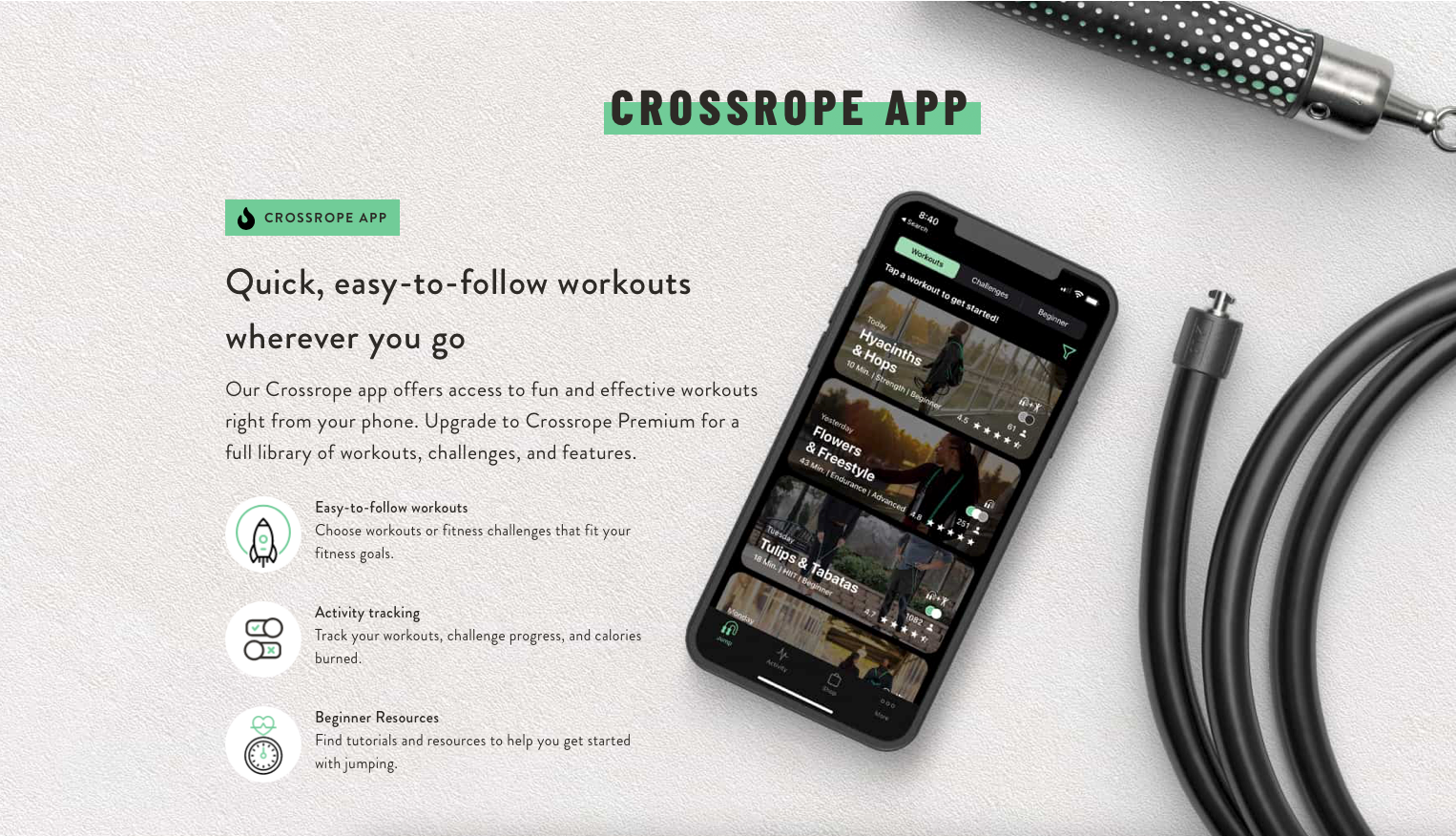
Crossrope sells weighted jump ropes and an app with workouts to follow along.
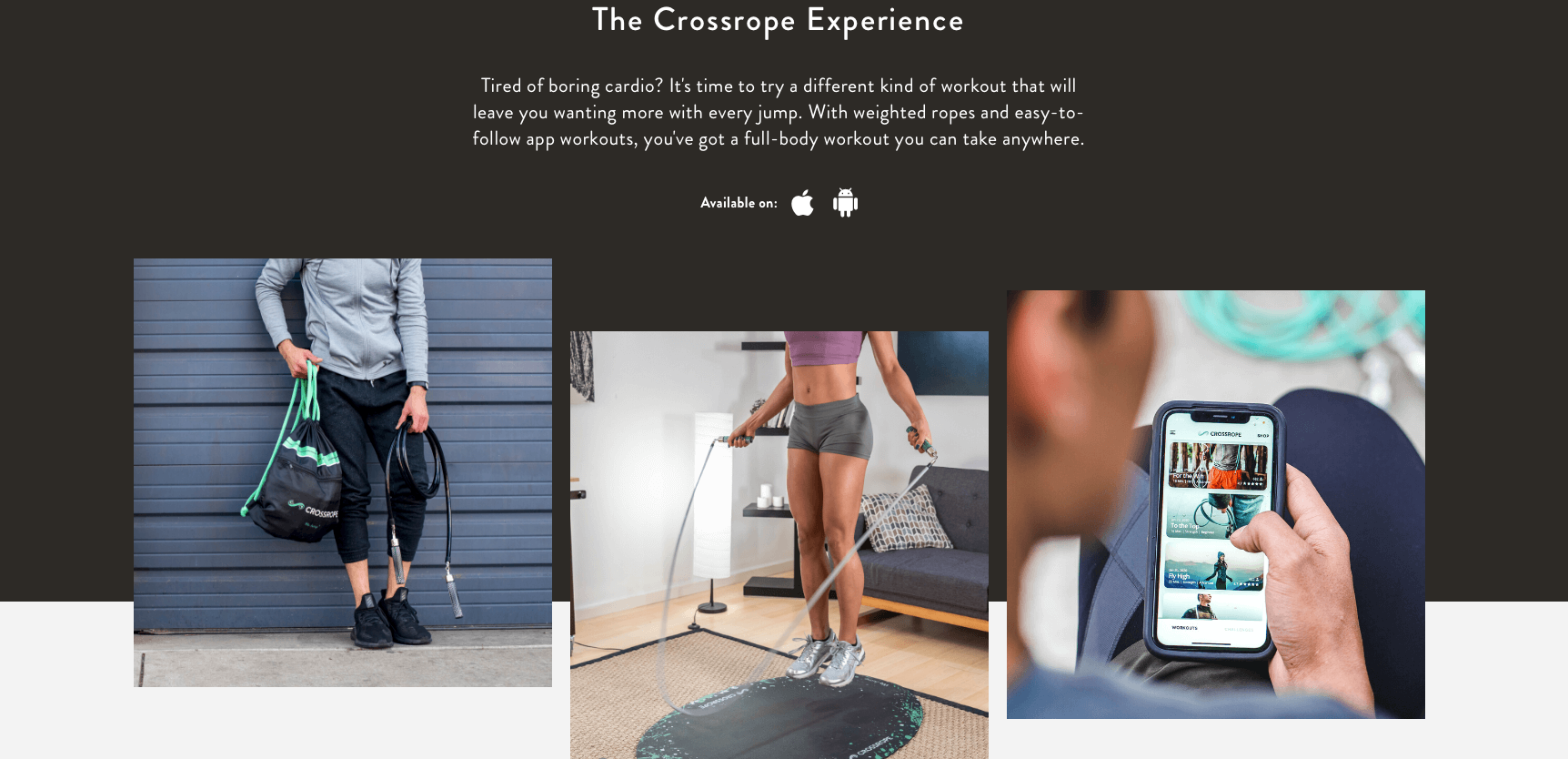
The rest of the app, made by Crossrope
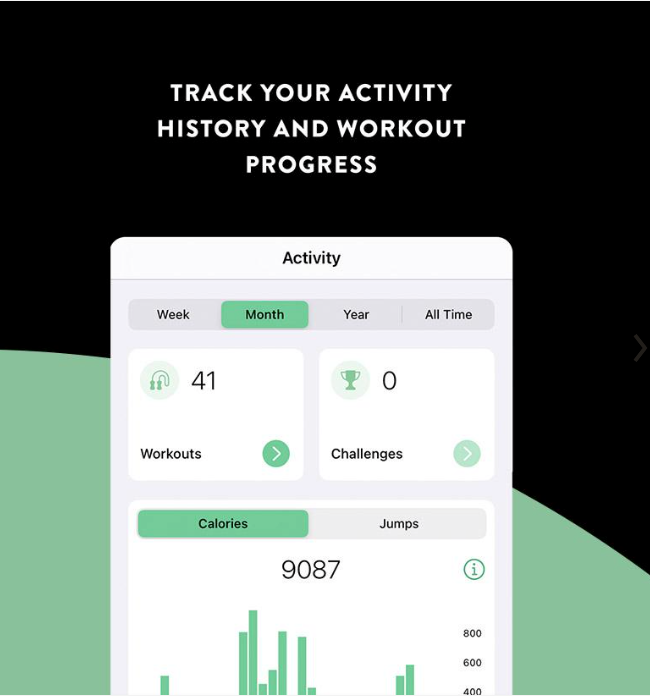
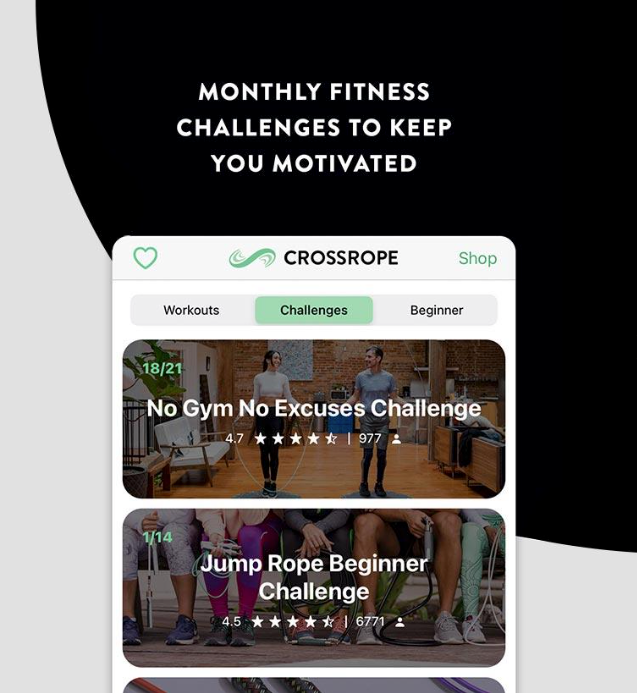
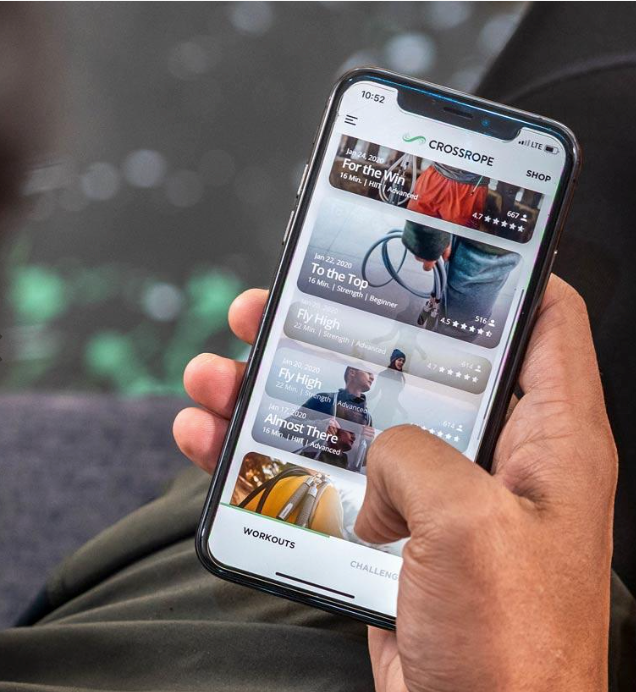
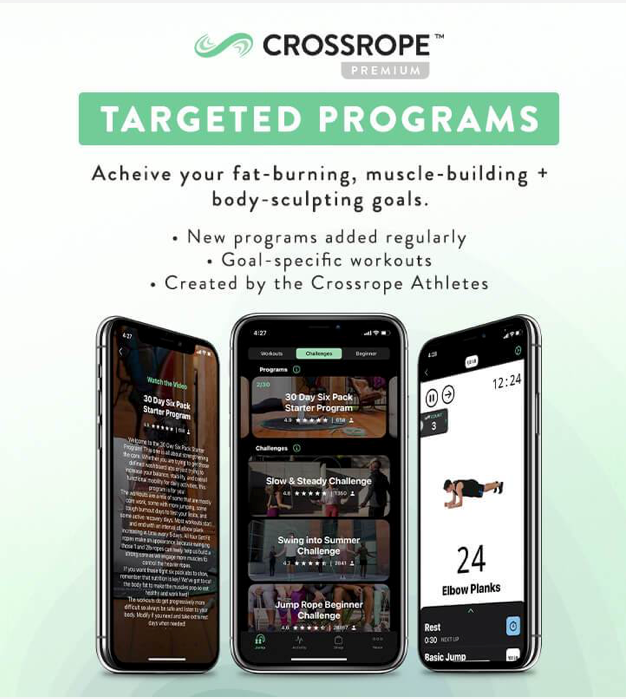
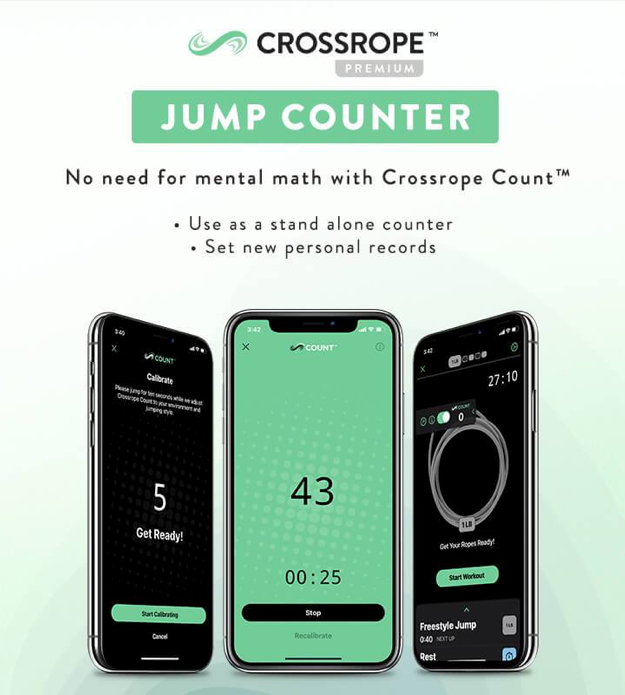
These are Crossrope’s own promotional images of the app: activity, challenges, the workout list, programs and its jump counter. They are not my work. My flows sit inside the Jump tab, next to the workout list.
Competitor review
Five apps for jumping and training at home
In November 2026 I read the App Store pages of four jump rope apps and one home workout app: their ratings, what they offer, and what the few visible reviews mention.
| App | US ratings | What the listing offers | Limits and reviews |
|---|---|---|---|
| Jump Rope Training | CrossropeCrossrope LLC | 13,736 ratings4.9 average | 3,000+ trainer-led workouts. The listing says that with the AMP smart handles it counts jumps, shows live whether you are ahead of a jump target, and tracks Free Jump sessions across up to 8 ropes. | Reviewers say too much is behind the membership. Jump counting needs the smart handles and a membership. |
| Jump Rope Training AppMuslim Zabirov | 201 ratings4.9 average | 5 to 30 minute rope workouts that work offline, an interval timer and a beginner tutorial. | The listing does not mention jump counting. |
| SmartRopeTangram Factory | 266 ratings3.6 average | Four count modes (jumps, calories, time, daily target), interval training and history graphs by month or year. | Works only with the brand’s own ropes. Reviewers report unreliable Bluetooth and ask for time-based intervals. Last updated July 2023. |
| Jumpr, Virtual Jump RopeTing-Wei Liu | 21 ratings4.0 average | Counts jumps with the front camera, so you need no rope at all. A daily goal and streaks. | Reviewers say the count is not very accurate, and one asks how camera images are used. Last updated August 2023. |
| Nike Training ClubNike | 283,429 ratings4.8 average | Free trainer-led workouts and multi-week programs for home or the gym, with a log of completed workouts. | Made for general training. The listing logs workouts but mentions no jump counting. |
Ratings and descriptions from Apple’s US App Store pages and its public lookup service, read on 28 Nov 2026. Review themes come from the few reviews shown on each page, so they are a small sample.
Four things the review showed
Counting jumps often needs the brand’s own hardware
Crossrope and SmartRope count jumps only with their own smart handles or ropes. Jumpr uses the camera, and its reviewers doubt the count.
In my original design: The jumping screen is built around one large count, with Recalibrate right under it.
Most apps let you set a goal
SmartRope has a daily target, Crossrope a jump target that shows if you are ahead, Jumpr a daily goal.
In my original design: Against Time and Jump Target let you set the goal before the first jump.
Rope weight is part of the record
Crossrope lets you pick from 1/4 LB to 2 LB and tracks Free Jump sessions per rope.
In my original design: Every mode asks which rope you will use first, and past results are filed by rope.
Past sessions are kept to compare
Crossrope keeps personal records and SmartRope shows history graphs.
In my original design: Compete With Yourself puts a past session’s time and jumps on the jumping screen.
Research
People who jump at home
What I heard from people who jump rope at home.
Sample research, not real data. The interviews, participant counts, findings, quotes, proto-personas and journey map in this box are placeholders until I add my research notes.
Interviews with 6 home jumpers
Four findings, four design responses
Counting in your head breaks the rhythm
5 of 6 people
Most lost count somewhere past 100 and guessed the rest.
Design response: The count and the timer fill the jumping screen.
The phone lies on the floor, a step away
5 of 6 people
Nobody wanted to bend down to tap small controls mid-session.
Design response: Big Start, Finish and pause controls. Small extras stay out of the way.
People compete with themselves, not strangers
4 of 6 people
They remembered their best sessions and wanted to beat them.
Design response: Compete With Yourself keeps a past result in view.
A heavier rope is a different workout
4 of 6 people
They switch ropes on purpose and compare results per rope.
Design response: Every mode starts with the rope, and results are filed by rope.
Two proto-personas, based on assumptions
Sam, 34
Jumps 15 minutes before work with a 1 LB rope
“I lose count around 200 and just guess.”
Needs: A count he can trust and a start in a few taps.
Frustrations: Menus with sweaty hands, and numbers too small to read from the mat.
Assumption to check: That he jumps with the phone on the floor and wants no workout video.
Priya, 41
Rebuilding her fitness with a 1/4 LB rope
“I never know if I did better than last week.”
Needs: Small goals she can reach, such as 100 jumps, and a clear record of progress.
Frustrations: Long classes and screens that assume she is already fit.
Assumption to check: That a jump target motivates her more than a time limit.
A journey map of Priya’s session
Decide to jump
- Doing
- Opens the app between other things
- Thinking and feeling
- Short on time; wants to start now
- Pain point
- Classes and offers come first
- Where my flows help
- Jumping Modes is one tap from the workout list
Set up
- Doing
- Picks a rope and a goal
- Thinking and feeling
- Which rope today, and how far to push
- Pain point
- Forgets what she did last time
- Where my flows help
- Rope chips and the goal sit inside the mode card
Jump
- Doing
- Phone on the floor, jumping
- Thinking and feeling
- Focused, out of breath
- Pain point
- Losing count; cannot tap small controls
- Where my flows help
- One large count and timer, a big pause button
Finish
- Doing
- Taps Finish and catches her breath
- Thinking and feeling
- Proud, or let down
- Pain point
- No sense of how it compares
- Where my flows help
- Great Work! shows the target and the previous record
Look back
- Doing
- Checks past sessions later
- Thinking and feeling
- Curious whether she improved
- Pain point
- Results mixed across ropes
- Where my flows help
- Previous Results by mode and rope, sortable
Phase 2 of 7
Define
Setting up a session, and a count you can read from the floor.
Problem and goals
Designing for a phone on the floor
Problem statement
People who jump at home want to know how many jumps they did and whether they beat last time, without stopping to count or to tap a small phone. How might we get them from the app to the first jump in a few taps, and keep the count readable from a step away?
Each session asks for a mode and a rope, plus a time or a number of jumps in Against Time and Jump Target. Then one screen with the count.
Who it is for
People who train with Crossrope’s weighted ropes, at home or anywhere they can jump, from beginners to people trying to beat their own best.
Where it sits
Inside the Jump tab, next to the trainer-led workouts and challenges. The jumping modes are for the times you just want to jump.
Design principles in my screens
Rope first
Every mode asks which rope you will use before anything else, because a 2 LB rope and a 1/4 LB rope are different workouts. Past results are filed by rope too.
One goal per mode
Free Jumps has no goal, Against Time has a time and Jump Target has a number of jumps. The mode’s name says which.
Readable from the floor
The count and the timer are the largest things on the jumping screen. The other controls get less weight.
Compete with yourself
Pick a past session and the jumping screen keeps its time and jumps in view while you go again.
Choose before you start
Let’s Go and Compete With Yourself stay disabled until the choices they need are made.
Phase 3 of 7
Ideate
Where everything lives, and the steps to the first jump.
Structure
Information architecture and task flows
I rebuilt the structure from the screens and the recordings, so the flows can be read without the design file. All five flows I designed sit inside the Jump tab; the rest of the tree is Crossrope’s existing app.
- Jump bottom tab
- Top menu Workouts, Challenges, Jumping Modes, Beginner. A heart for favourites and a funnel for filters.
- Jumping Modes Free Jumps, Against Time, Jump Target
- Mode card The rope, then a time (Against Time) or a number of jumps (Jump Target), Previous Results, Let’s Go
- Jumping screen Count, timer, pause, Finish, Recalibrate, info
- Great Work! summary Target, previous record, time, calories, jumps. Done, Schedule your next workout, Go to statistics
- Jumping screen Count, timer, pause, Finish, Recalibrate, info
- Previous Results Mode, rope, sort, favourites, Compete With Yourself
- Mode card The rope, then a time (Against Time) or a number of jumps (Jump Target), Previous Results, Let’s Go
- Jumping Modes Free Jumps, Against Time, Jump Target
- Top menu Workouts, Challenges, Jumping Modes, Beginner. A heart for favourites and a funnel for filters.
- Activity bottom tab Workouts, challenges, calories and jumps over time
- Shop bottom tab
- More bottom tab
Three main tasks
Jump freely
- Jump tab
- Jumping Modes
- Free Jumps
- Pick a rope
- Let’s Go
- Start
- Finish
- Great Work!
The prototype takes five taps from the Jump tab to the first jump.
Jump for a set time
- Jumping Modes
- Against Time
- Pick a rope
- Set the time
- Let’s Go
- Start
- Finish
Let’s Go turns on once a rope and a time are set.
Beat a past session
- Jumping Modes
- Previous Results
- Mode and rope
- Sort
- Pick a row
- Compete With Yourself
- Jump with the record in view
The record stays on the jumping screen.
Decisions
Eight design decisions
What each choice in my screens does for someone about to jump.
Phase 4 of 7
Design
Five flows, from the top menu to the live count.
The five flows
Five flows, each with its prototype recording
Top menu, set goals, filter, jumping modes and the jumping screen, from the original case study.
Top menu
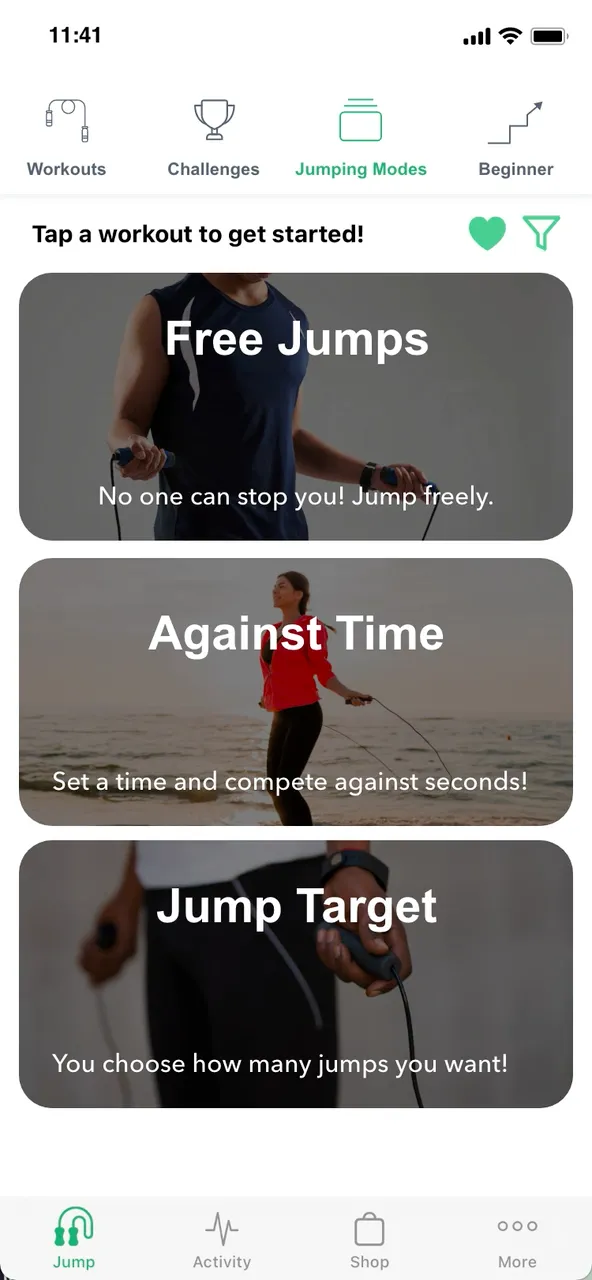
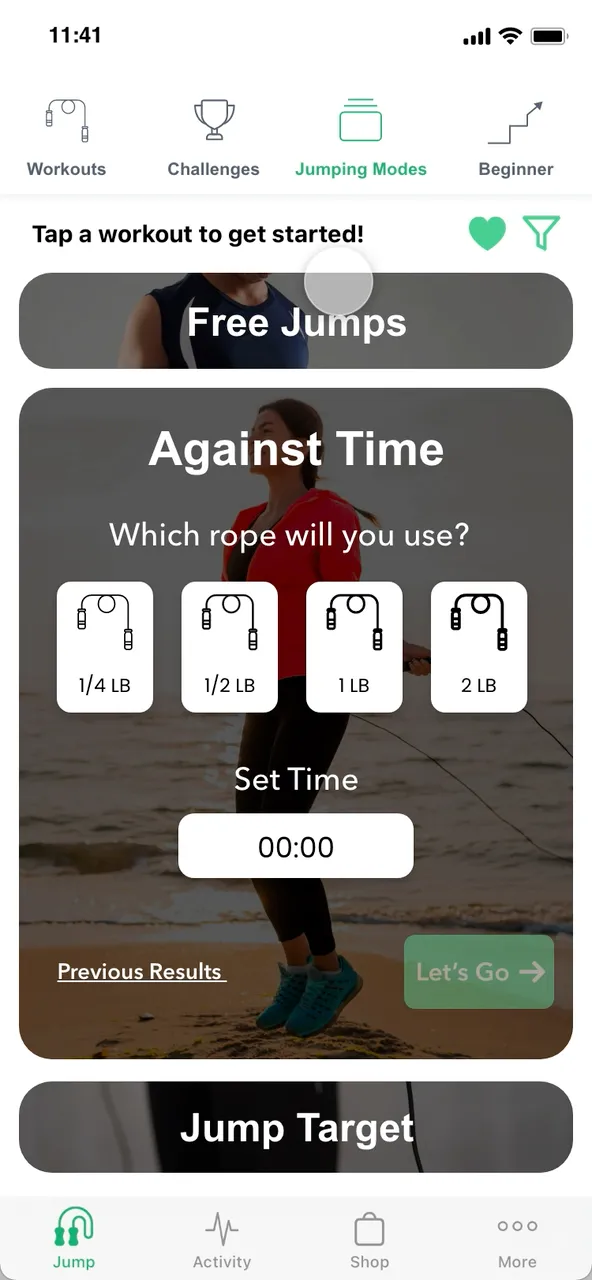
The Jump tab opens on the workout list. A row of four icons at the top switches between Workouts, Challenges, Jumping Modes and Beginner. Tapping Jumping Modes swaps the workout cards for three mode cards, Free Jumps, Against Time and Jump Target, each with a short line on how it works.
Why it works this way
- The modes are one tap from the workouts, so someone who only wants to jump does not have to scroll past classes.
- The one-line descriptions say the goal: jump freely, jump for a set time, or reach a number of jumps.
Set goals
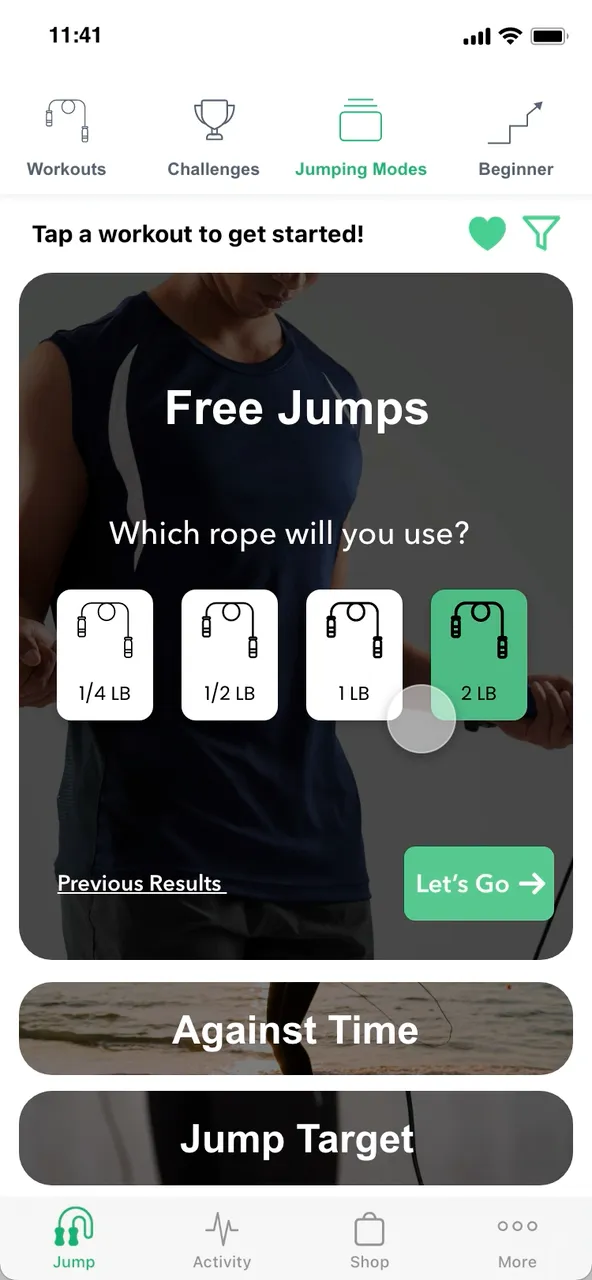
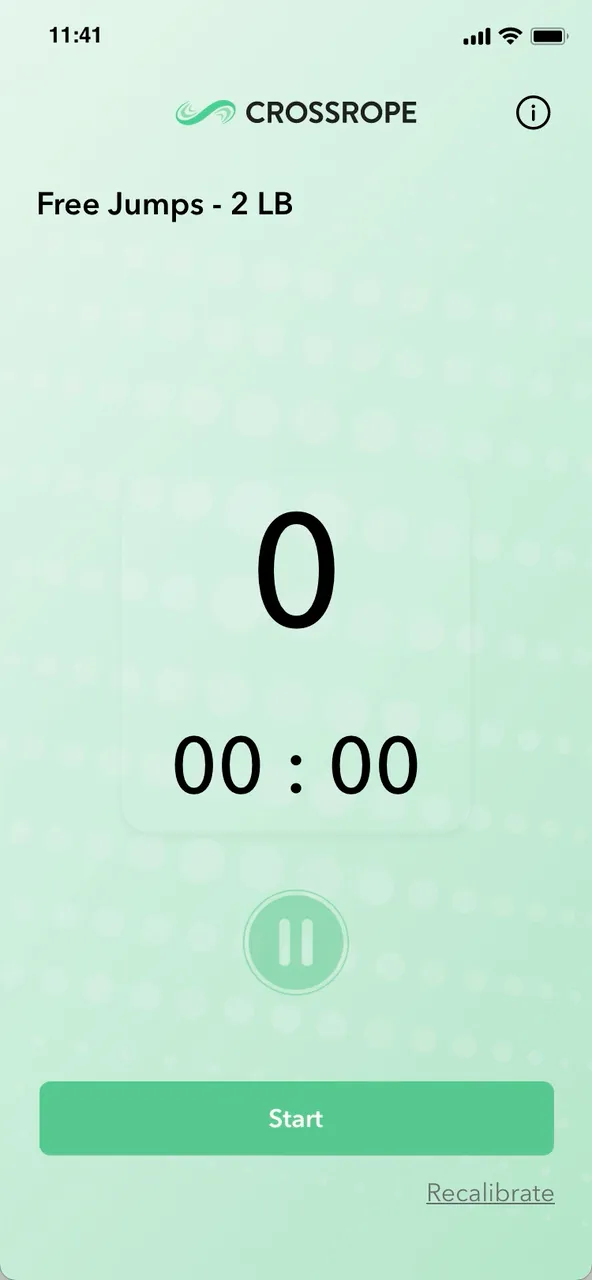
Tapping a mode opens its card. Free Jumps asks which rope you will use. Against Time also asks for a time. In the recording I open Free Jumps, then Against Time, go back to Free Jumps, choose the 2 LB rope and tap Let’s Go. The ready screen follows: Free Jumps, 2 LB, a count of 0, 00:00, Start and Recalibrate.
Why it works this way
- Let’s Go stays faded until a rope is chosen, so you cannot start a session without one.
- The goal is set inside the card you chose, with no separate settings screen.
Filter
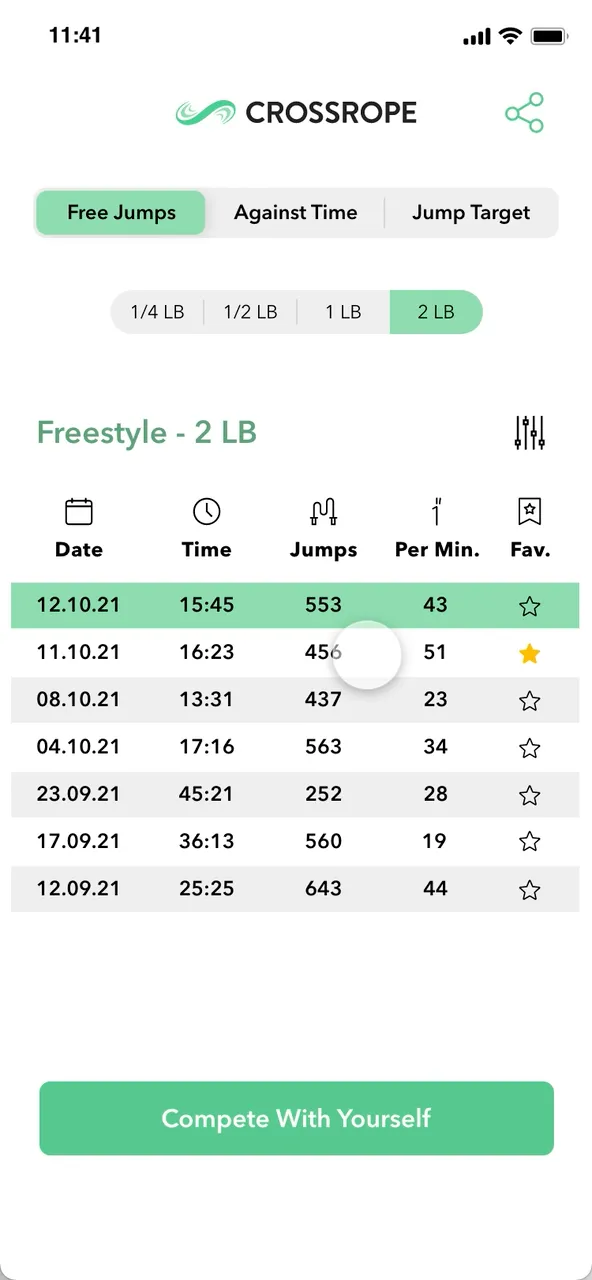
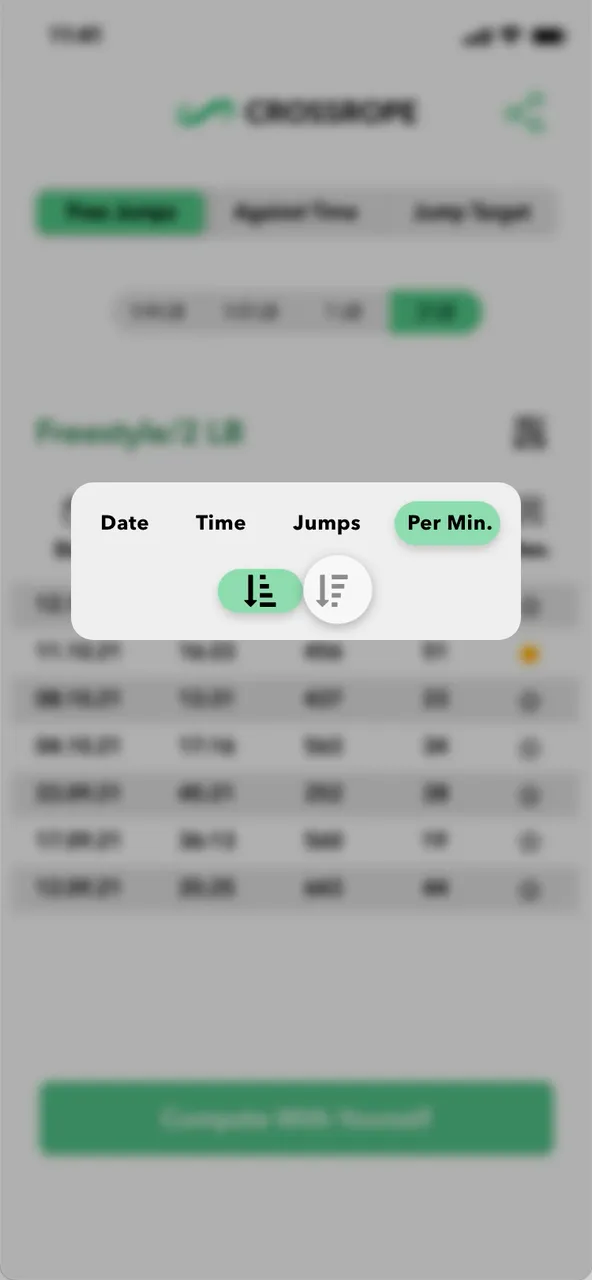
Previous Results files every session by mode and rope weight. The table shows the date, time, jumps and jumps per minute, with a star for favourites. The sliders icon opens a small sheet to sort by date, time, jumps or pace, up or down. Selecting a row turns Compete With Yourself on.
Why it works this way
- Finding a session to beat starts with the two things that matter most, the mode and the rope.
- The sort sheet opens over a dimmed table, so the results stay in view behind it.
Jumping modes
On Previous Results, switching the mode and the rope updates the title and the table at once: Against Time 2 LB, Jump Target 2 LB, then Free Jumps at 2 LB, 1 LB and 1/4 LB. Compete With Yourself stays faded until a row is chosen.
Why it works this way
- Two rows of segments cover every combination of mode and rope without a menu.
- The title repeats the current mode and rope, so you always know which results you are reading.
Jumping screen
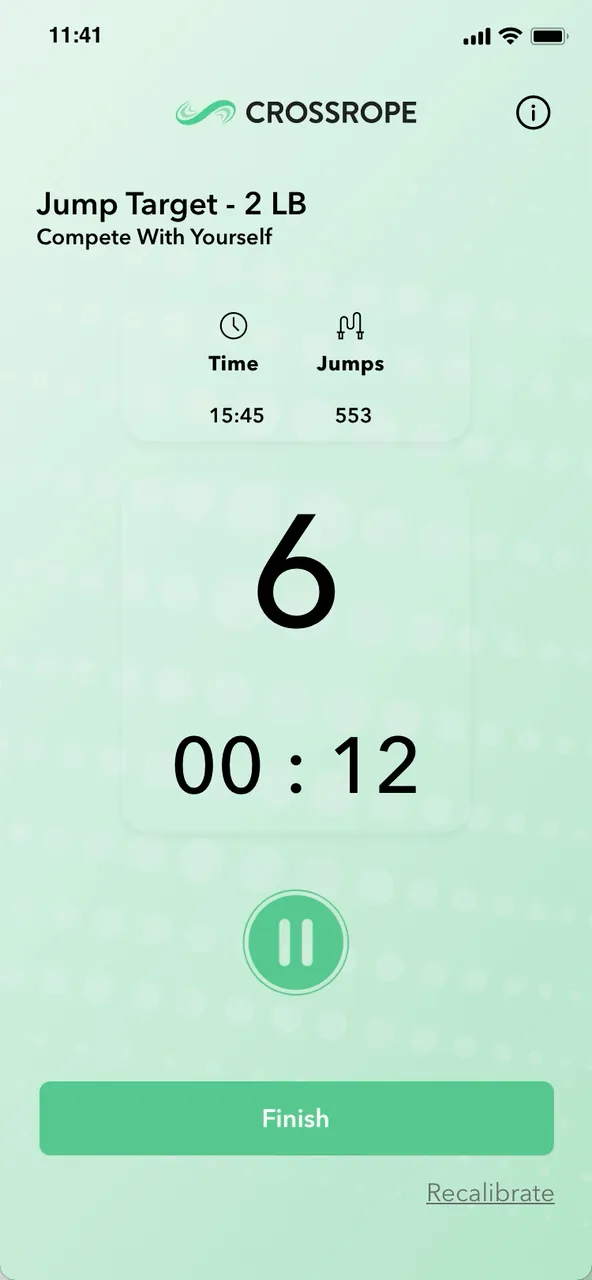
Jump Target with the 2 LB rope, in Compete With Yourself. The past session’s time and jumps, 15:45 and 553, sit in a card at the top. The live count and the timer fill the middle, with a round pause and play button, Finish and Recalibrate below.
Why it works this way
- While you jump the phone is on the floor or a bench, so the numbers you need are the largest things on the screen.
- Pause and play share one button in one place, so you never have to look for it.
Recordings of the clickable prototype. The grey circle shows where I tapped. Each tab shows the recording’s length.
Key screens
Seven key prototype screens
Stills from my prototype recordings: choosing a mode, setting up, past results and the live count.
Design file
The original Adobe XD file
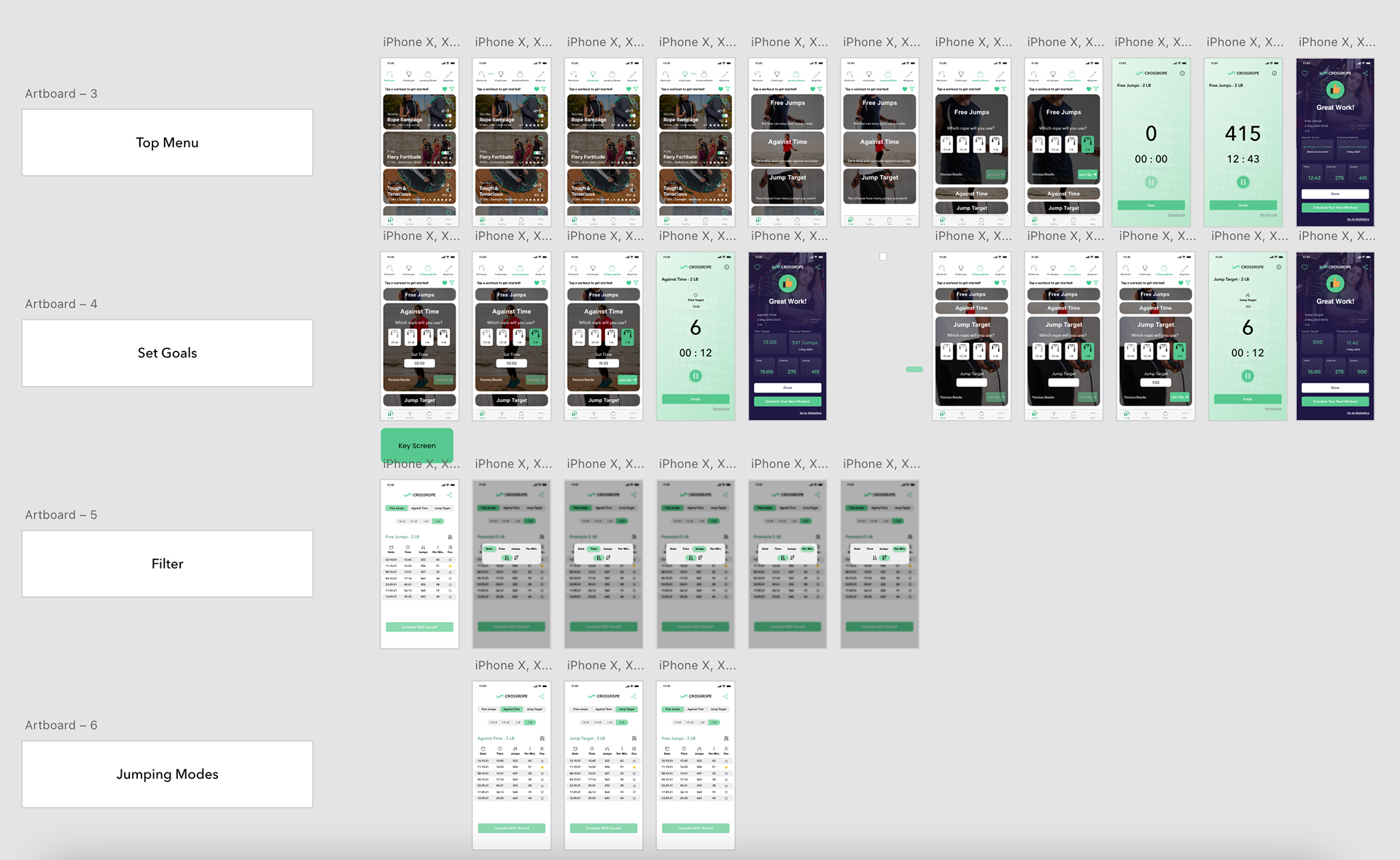
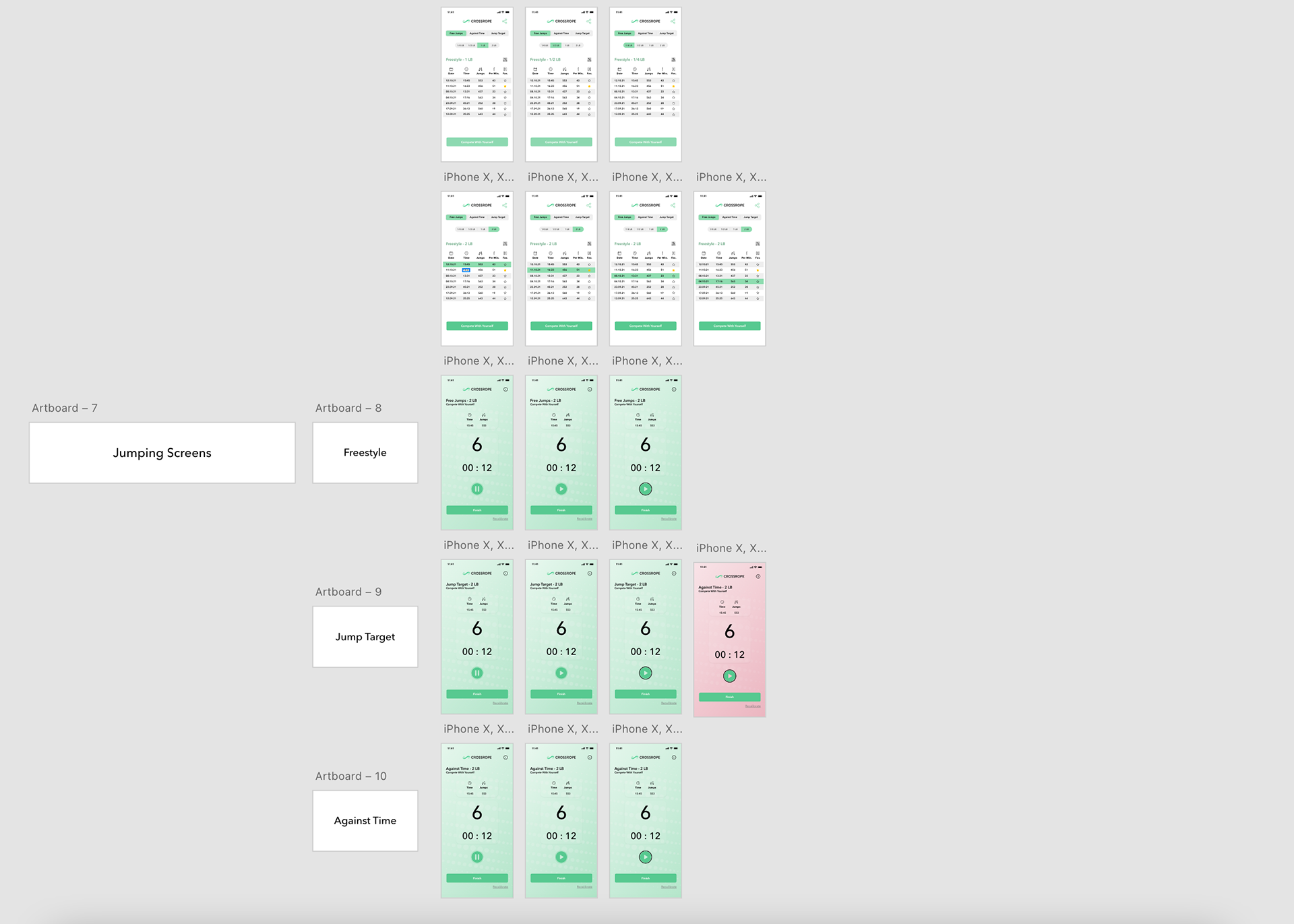
Each flow has its own row of iPhone artboards. On a phone, swipe the frames sideways, or open an image to see it at full size.
The colours in the screens
Read from the recordings and the design file. The video is compressed, so the values are close, not exact.
- Mint
#56C88FButtons, chosen chips, selected rows - Faded mint
#8DD8B1Buttons that are not ready yet - Light mint
#D7F2E4The jumping screen - Green text
#3E9772Selected tab labels, table titles - Deep purple
#221A47The Great Work! summary - Charcoal
#151514Text and the brand
Phase 5 of 7
Develop
The component states shown in the prototypes.
Build notes
Component states
I listed every component state the prototypes show, such as selected, disabled, running and paused, so each component’s behaviour is clear in one place.
| Component | States | What changes |
|---|---|---|
| Mode card | Closed, open | Open shows the rope chips, Previous Results and Let’s Go, plus a goal field in Against Time and Jump Target. The other modes fold to bars. |
| Rope chip | Default, chosen | One rope at a time. The chosen chip fills mint. |
| Goal field | Empty, set | Against Time takes a time (00:00 to start), Jump Target a number of jumps. |
| Let’s Go | Faded, active | Active once a rope is chosen and, for Against Time and Jump Target, a goal is set. |
| Jumping screen | Ready, running, paused, competing | Ready shows 0, 00:00 and Start. Running swaps Start for Finish. Competing adds the record card. |
| Pause button | Pause, play | Same place, the icon swaps. |
| Results row | Default, selected, favourite | A selected row fills mint. The star fills yellow for a favourite. |
| Sort sheet | Date, time, jumps, per minute; up, down | Opens over a dimmed table. The chosen option fills mint. |
| Compete With Yourself | Faded, active | Active once a row is selected. |
| Great Work! summary | One per mode | Target or recent score, previous record, time, calories and jumps. Done, Schedule your next workout, Go to statistics. |
The prototypes do not include empty, loading or error states. I would design them before the build.
Phase 6 of 7
Test
A fresh look in 2026: ten heuristics and an accessibility check.
Heuristic evaluation
Ten heuristics, nine findings
In November 2026 I reviewed my screens and recordings against Nielsen’s ten usability heuristics myself. These are expert findings, not results from testing with people.
| Heuristic | Screen | What I found | Severity | Fix |
|---|---|---|---|---|
| Visibility of system status | Jumping screen, Jump Target | The record card shows the past time and jumps, but nothing shows how far you are from beating them while you jump. | 2 Minor | Show jumps left, or ahead and behind, next to the count. |
| Match with the real world | Previous Results | The Time column holds durations such as 15:45 and 45:21, but its heading does not say so. “Per Min.” is shortened. | 2 Minor | Label the column Duration and write Jumps per minute. |
| User control and freedom | Ready screen | The recorded ready screen shows no close or back button, only Start and Recalibrate. | 2 Minor | Add a close button at the top left. |
| Consistency and standards | Previous Results | The same mode is called Free Jumps in the segments and Freestyle in the table title. | 2 Minor | Use one name everywhere. |
| Consistency and standards | Previous Results | One recording shows the first date as 12/10/21 and the others as 12.10.21. | 1 Cosmetic | Use the phone’s own date format everywhere. |
| Recognition rather than recall | Previous Results, sort sheet | After the sheet closes, the table does not show which column it is sorted by. | 2 Minor | Mark the sorted column with an arrow. |
| Flexibility and efficiency of use | Jumping Modes | A Free Jumps session takes five taps, and the screens show no shortcut to repeat the last one. | 2 Minor | A Jump again card with the last mode and rope. |
| Aesthetic and minimalist design | Mode cards | White text sits straight on the photos, so the one-line descriptions can land on busy parts of the picture. | 1 Cosmetic | A darker shade under the text. |
| Help users recover from errors | All five flows | The prototypes show no empty or error states, for example Previous Results with no sessions, or a count that fails. | 2 Minor | Design these states before the build. |
Severity uses Nielsen’s scale: 1 cosmetic, 2 minor, 3 major. I rated none of the nine as major, because none stops a flow from being finished. Testing with people could change these ratings.
What already works
- Visibility of system statusThe count and the timer are always on screen, and the chosen rope is marked.
- Error preventionLet’s Go and Compete With Yourself stay faded until their choice is made.
- Recognition rather than recallThe record you are chasing stays on the jumping screen.
- Match with the real worldRope weights are in pounds, as on the ropes’ own tags.
- Aesthetic and minimalist designOn the jumping screen the count and the timer get the most weight.
- Help and documentationA Beginner tab in the top menu and an info button on the jumping screen are visible ways into help.
Accessibility
An accessibility check of the screens
Contrast, touch targets, text size and motion, measured on the screens in the recordings.
| Check | Result | Detail |
|---|---|---|
| Text on mint buttons | To fix | White on mint (#56C88F) is about 2.1:1 on Start, Finish, Let’s Go and Compete With Yourself. WCAG asks for 4.5:1, or 3:1 for large text. Dark text (#121212) on the same mint reaches about 9:1. |
| Green text on white | To fix | The selected tab label is about 3.6:1 and the green table title about 3.4:1, under 4.5:1. A darker green such as #1F7A4D reaches 5.3:1. |
| Grey tab labels | To fix | The bottom tab labels Activity, Shop and More are about 3:1 at about 10 pt. |
| Faded buttons | Note | Disabled buttons, about 1.7:1, are exempt from the contrast rule. But fading is the only hint, so a short line such as “Pick a rope to start” would help. |
| Count and timer | Passes | Black on light mint, about 17:1. The count’s digits are about 70 pt tall and the timer’s about 40 pt. |
| Small controls | To fix | The visible mode segments are about 32 pt tall, the rope segments about 28 pt, the table rows about 29 pt with a small star, and Recalibrate is a text link. Apple asks for at least 44 by 44 pt. The real tap areas cannot be seen in a recording. |
| Large controls | Passes | The rope chips are about 62 by 83 pt, Start and Finish about 49 pt tall at full width, and the round pause button is large. |
| Text size | To check | Table text is about 13 pt and tab labels about 10 pt. The screens do not show larger Dynamic Type sizes. |
| Colour alone | Partly | A selected result row and a chosen rope are shown by a mint fill only. A check mark would add a second cue. |
| Motion | To check | Mode cards slide open. The recordings do not show Reduce Motion; with it on, the cards should change without the slide. |
Estimated from the prototype recordings against WCAG 2.1 AA contrast and Apple’s 44 by 44 point guideline, 28 Nov 2026. The video is compressed, so colours and sizes are close, not exact. This is a screen review, not a full accessibility audit.
How I would test it with people
Phase 7 of 7
Deliver
Where the work stands, and what I would do next.
Next steps
The app today, and my next steps
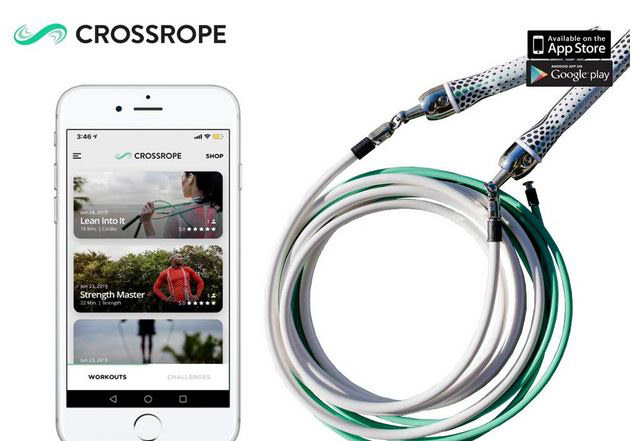
My flows shipped in the Crossrope app, which is on the App Store and Google Play. Looking at them again in 2026, this is what I would change first.
What I would do next
Fix the contrast
Dark text on the mint buttons, and a darker green for green text.
Make every target at least 44 pt
Taller segments and table rows, a bigger star, and a button for Recalibrate.
Use one name and one format
One name for Free Jumps, one date format, and a Duration column.
Show progress to the goal
Jumps left, or ahead and behind, next to the count.
Add a way out and a repeat
A close button on the ready screen and a Jump again card.
Design the missing states
Empty results, a failed count and a failed calibration.
Test with people
Run the plan above with five people.